Let me tell you, as someone who's spent way too much time in Once Human, there's nothing more annoying than the door shuffle. You know the drill—you're hauling back a ton of loot, your hands are full, and you've gotta fumble to open the door, run in, then spin around to close it before some Freak or another player decides to crash your party. Talk about a buzzkill. It's 2026, and we deserve better, right? Well, good news, my fellow survivor: automatic doors are the absolute game-changer you need. They take that tedious chore off your plate, letting you focus on the important stuff—like not getting eaten. Setting them up is a mid-game milestone, and once you've got the memetics and a little electrical know-how, it's smooth sailing from there.
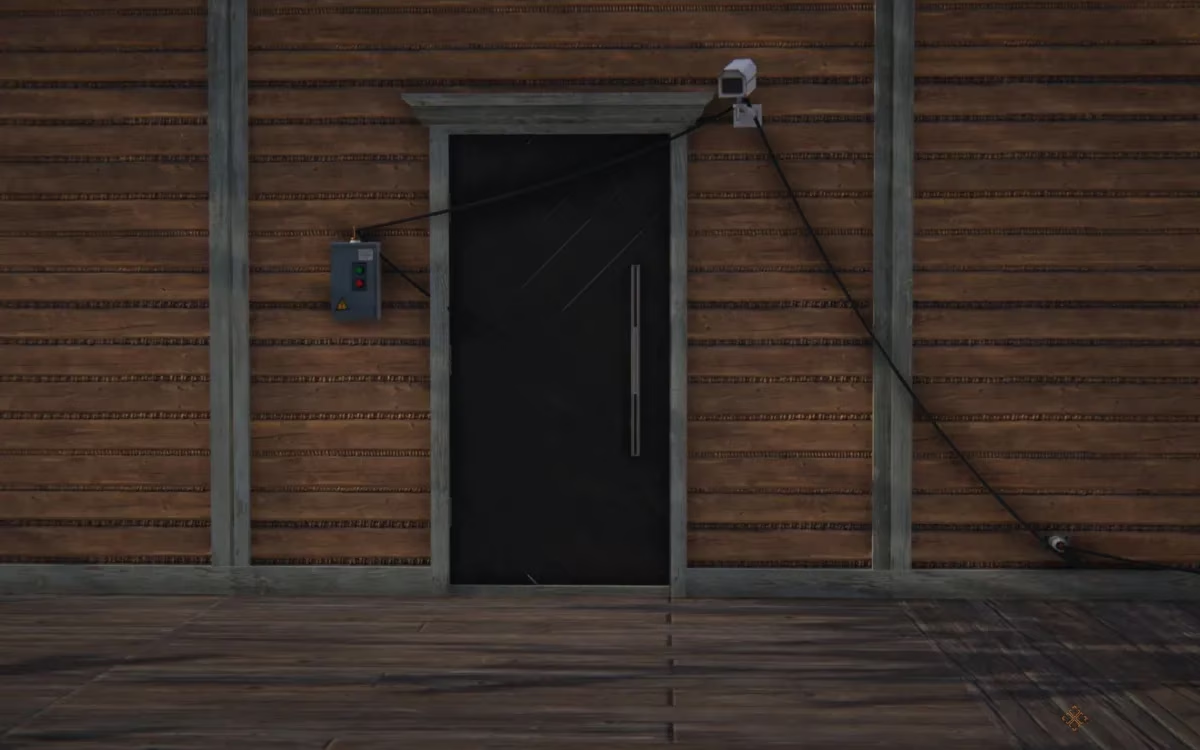
Gearing Up: What You Need for Your Auto-Door
First things first, you can't just wish an automatic door into existence. You've gotta unlock the tech. Think of it as your DIY home security upgrade. Here’s the shopping list you'll need to assemble:
-
Automatic Door (Obviously!) – Comes in a few stylish variants.
-
Solar Generator – Your clean, post-apocalyptic power source.
-
Wall or Ground Terminal – The central hub for your wiring.
-
Switch – The brain that tells the door what to do.
-
Dynamic Sensor – The eyes that see you coming and going.
 Pro Tip: All of this awesome tech is locked behind the Memetics system in your Logistics tree. Don't sleep on this skill line!
Unlocking the Tech: The Memetics Grind
Alright, let's talk about the unlock path. This isn't too bad, I promise. You just need to invest in two key memetics:
-
Solar Generator Memetic: This is your first stop. Grab this from the Logistics tree. It unlocks the Solar Generator itself and, crucially, the Wall or Ground Terminal. No power, no party.
-
Electrical Kit Memetic: Right after the Solar Generator in the tree, you'll find this gem. This is the big one! Buying this unlocks:
-
The Switch
-
The Dynamic Sensor
-
Three types of Automatic Doors (They all work the same—just pick the one that matches your base's aesthetic 😉).
-
Once you've purchased both of these, congrats! You're officially ready to build. The components will be available in your building menu.
The Wiring Diagram: Making It All Work Together
Here's where some folks get tripped up. Unlocking the parts is only half the battle; connecting them correctly is what separates a functional fortress from a fancy cardboard box. The wiring has a specific logic, or sequence, you must follow. Think of it like setting up a domino chain.
The Golden Rule of Connection: Power flows from the source, through the sensors and switches, to the final device (the door).
Here is the step-by-step wiring sequence you must follow:
| Step | Action | Why It Matters |
|---|---|---|
| 1 | Place your Solar Generator & Terminal. Build a Wall or Ground Terminal near where you want your door. Connect it directly to your Solar Generator with a wire. | This establishes your local power grid. The terminal is your outlet. |
| 2 | Connect the Dynamic Sensor. Take a wire from the Terminal and connect it to your Dynamic Sensor. Place the sensor where it can easily detect your approach. | The sensor now has power and is "awake." |
| 3 | Link the Switch. Run a wire from the Dynamic Sensor to your Switch. You can place the switch somewhere convenient, maybe inside for manual override? | The sensor will send its signal to the switch. |
| 4 | Finale: Connect the Door. Finally, connect a wire from the Switch to the Automatic Door. | The switch now controls the door's state. |
How the Magic Happens (The Tech Breakdown)
Let me break down what this wiring symphony actually does. It's pretty slick:
-
Detection Phase: You walk into the range of the Dynamic Sensor. It's like, "Oh snap, someone's here!"
-
Signal Phase: The sensor sends an electrical signal down the wire to the Switch. It's basically yelling, "Hey Switch, do the thing!"
-
Action Phase: The Switch receives the signal and immediately sends its own command to the Automatic Door. The door hears this and goes, "Roger that!" and slides open.
-
Reset: When you walk out of the sensor's range, the process reverses. The sensor stops sending the signal, the switch tells the door to close, and your base is secure again. It's hands-free, hassle-free.
Common Pitfalls to Avoid:
-
🔌 Skipping the Terminal: You can't wire things directly to the Solar Generator (except the terminal). The terminal is a non-negotiable middleman.
-
🔀 Wrong Wiring Order: If you connect the door directly to the sensor, it won't work. The switch is the essential logic gate.
-
📡 Bad Sensor Placement: Put the sensor where you'll actually walk! Facing a wall or blocked by furniture means you'll still be doing the manual dance.
Getting this setup in 2026 is still one of the best quality-of-life upgrades in Once Human. It saves time, adds a layer of security, and honestly, just makes your base feel more like a home and less like a drafty shack. Once you get the first one working, you'll want them on every entrance. Trust me, after a long day of surviving, there's no better feeling than walking up to your base and having the door just... whoosh... open for you. Now go out there, unlock those memetics, and build something awesome! You've got this.