Let me paint you a picture. It’s 2026, I’ve just built my first ramshackle truck in Once Human, and I’m ready to tear across the corrupted landscape like a post-apocalyptic road warrior. Instead, two minutes behind the wheel and my head is throbbing, my stomach is staging a rebellion, and I’m pretty sure the camera is glued to my character’s shoulder blades. Turns out, I wasn’t alone. That queasy, claustrophobic feeling comes from a brutally low field of view (FoV) that Starry Studio locked in at 55 degrees by default—basically the visual equivalent of peering through a keyhole.
If you’ve been getting those weird headaches or mild motion sickness during longer play sessions, your eyes aren’t broken. The camera is just zoomed in way too tight, leaving you with almost zero peripheral vision. Driving magnifies the problem tenfold because your brain expects a wide landscape but gets a narrow tunnel instead. I love a good horror-survival atmosphere, but feeling physically ill isn’t exactly the vibe I signed up for.
Now, here’s where the adventure begins. Like Berthesda games that notoriously bury FoV sliders in oblivion, Once Human doesn’t just hide the option—it pretends the option doesn’t exist. I rummaged through every settings tab, dug into the config file, and even whispered sweet nothings to my .ini documents. Nothing. Nada. Zero ways to crank that FoV up to a glorious 90 degrees the way any sane PC player expects.
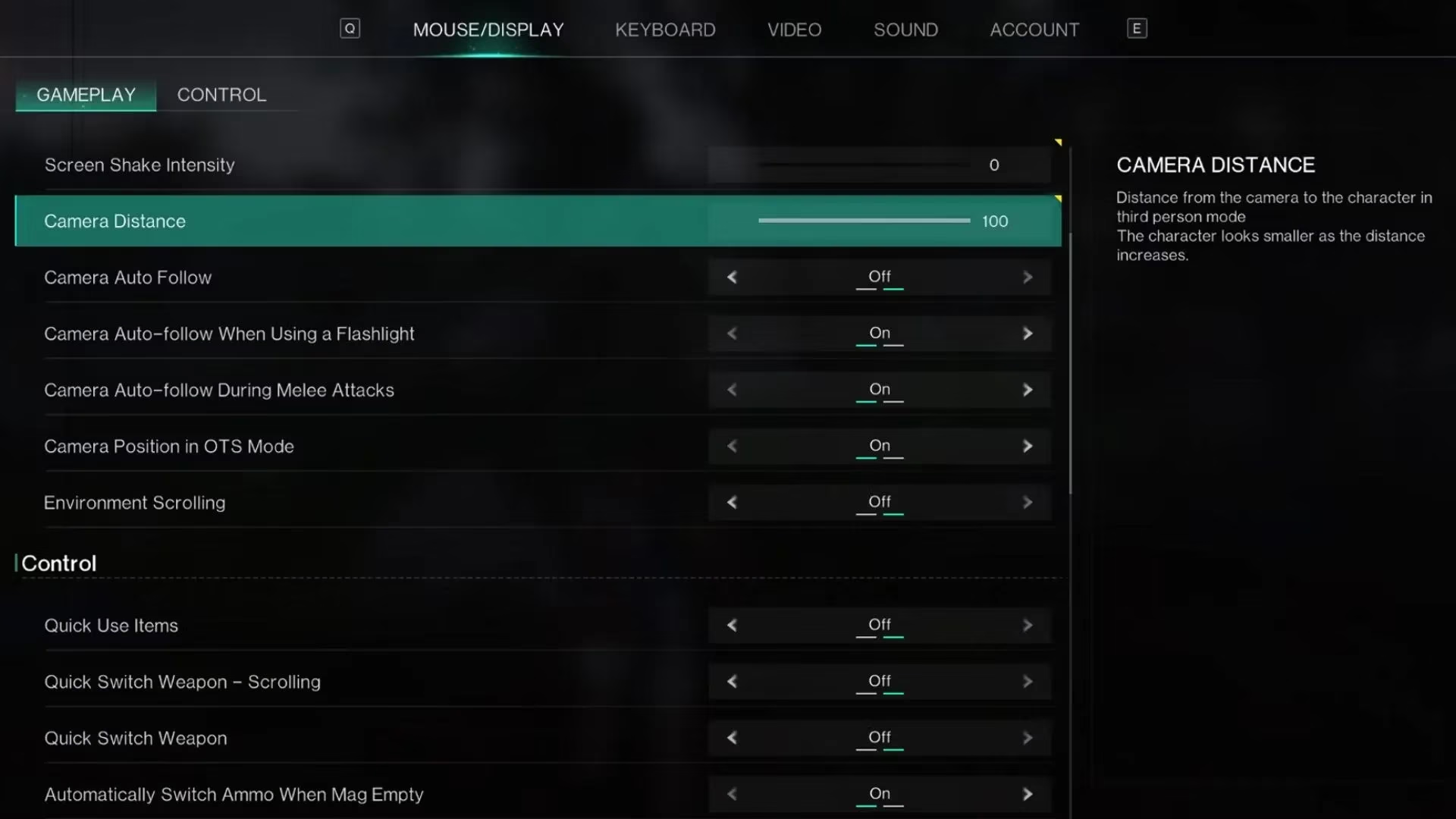
After a minor breakdown and a lot of frantic Reddit scrolling, I stumbled upon the one workaround that actually does something. Buried in the pause menu under Settings > Mouse/Display, there’s a little slider labeled Camera Distance. It doesn’t replace a real FoV slider, but it lets you yank the camera away from your survivor’s back. I slammed it to 100 and immediately exhaled. My whole character appeared on screen for the first time, driving stopped feeling like a fisheye nightmare, and I gained a few precious degrees of vision. It’s not a cure, but it’s a decent bandage—especially for vehicle gameplay.
To give you an idea of how little it actually widens your world, here’s a super scientific breakdown from my time messing around with screenshots:
-
Default FoV (Camera Distance 0): ~55° – can’t even see your own feet. Horses blinkered themselves voluntarily.
-
Camera Distance 100: maybe 60°–62° on the sides, a bit more at the bottom because the camera pulls back and up. The top gain? Barely a couple of degrees.
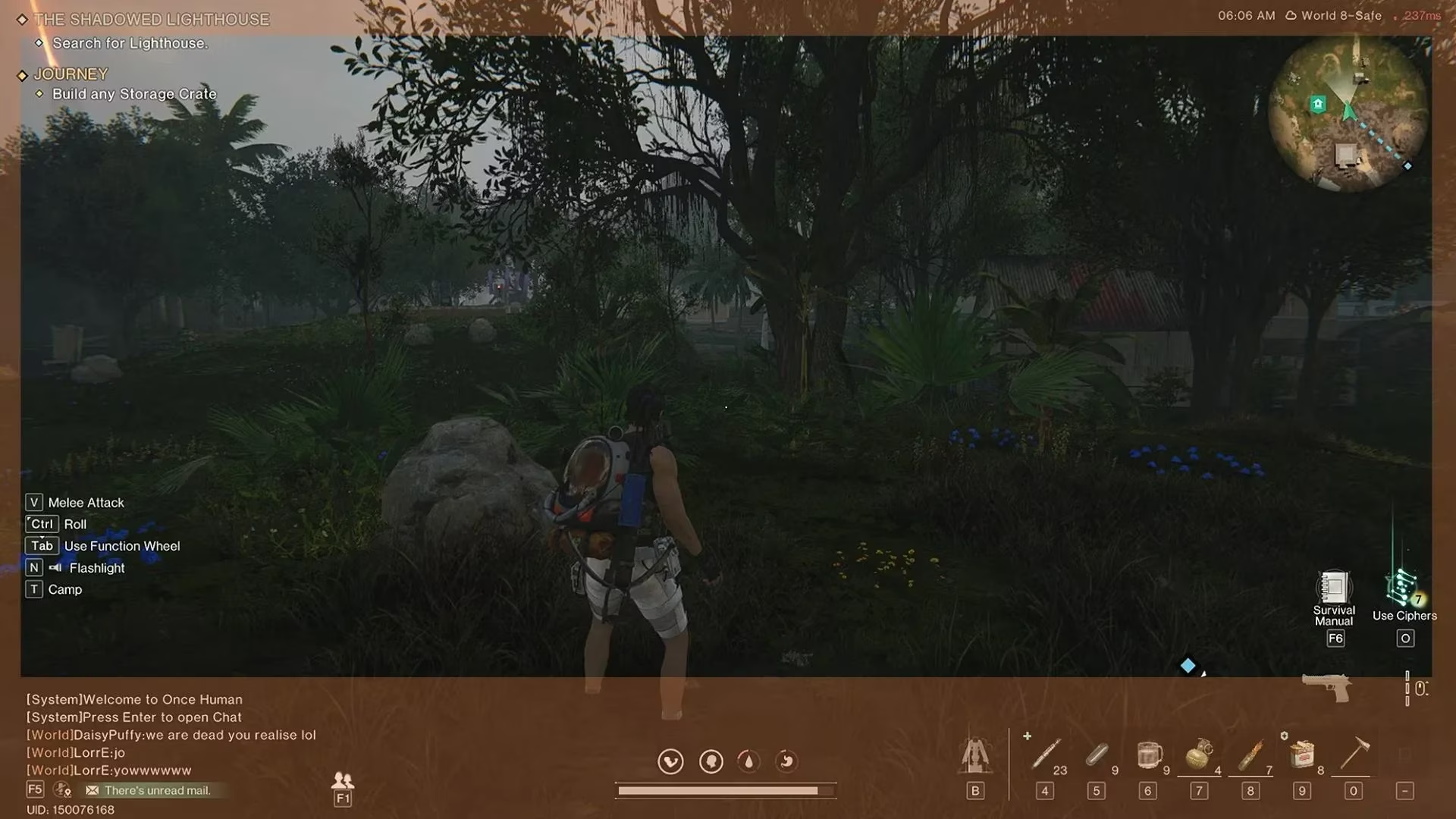
The comparison images make it painfully clear: you’re mostly just moving the camera back, not actually expanding your field of view. It’s better, but we’re still living in a world where seeing a Deviant sneaking up from the left is a luxury. Honestly, it felt like upgrading from a peephole to a slightly wider peephole—and then driving a truck through that peephole.
Since I’m writing this in 2026, you’d think a major survival title would have patched in a proper FoV slider by now. A lot of us crossed our fingers after launch, hoping the next big update would deliver the sweet 90-degree freedom we craved. Yet here we are, still tweaking camera distance like it’s some arcane ritual. The only other alternative I’ve seen floating around involves cheat engines, but let’s be real—risking a permanent ban to see a bit more shrubbery is a hard pass for any sane player. Ain’t nobody got time to appeal a ban because they wanted to reduce motion sickness.
So what’s a queasy survivor to do? 🎮
-
Max out Camera Distance immediately. That’s step one. It won’t fix everything, but it’ll make driving bearable and let you see your sick outfit in full.
-
Sit farther from your monitor. Old-school trick that reduces the tunnel-vision effect. Bonus: you look less like you’re trying to merge with the screen.
-
Play in well-lit rooms and take breaks. Your eyes and stomach will thank you.
-
Beg Starry Studio politely (or loudly) on every available platform. I’m only half-joking. Community noise works.
I still hold out hope that, by the time my character reaches the next season, an official FoV slider will drop as a surprise gift. Until then, I’ll be cruising the wasteland at camera distance 100, chugging ginger ale, and side-eyeing every patch note like a hawk. If you see my truck doing weird swerves, don’t blame my driving skills—blame the 55-degree prison I’m stuck peering through. 👀