In the sprawling, post-apocalyptic world of Once Human, going solo can be a lonely and tough road. Teaming up with friends isn't just recommended; it's often the key to survival and conquering the game's biggest challenges. To get the party started, players first need to navigate the game's social systems to form a cohesive squad. Let's break down exactly how to build your perfect team in 2025's hottest survival title.
Opening the Social Gateway
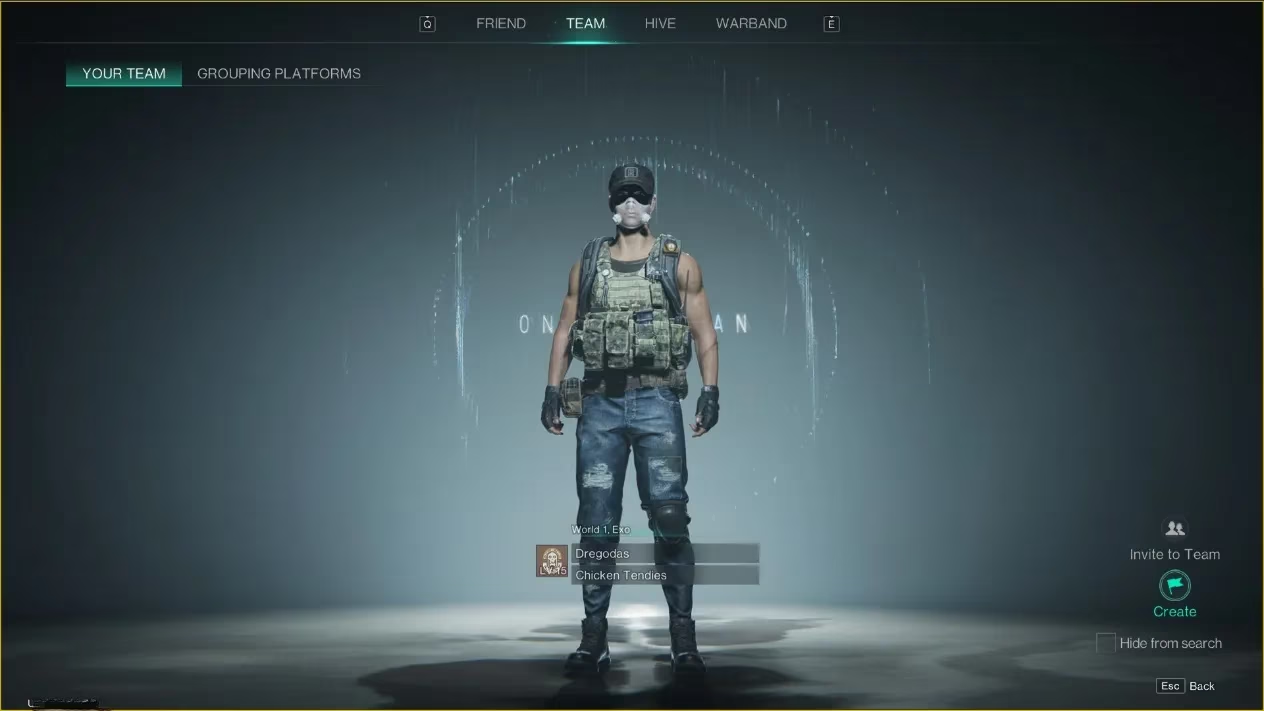
Everything begins with the Social menu. Players need to press the escape key on their keyboard to bring up the main menu, then click on the 'Social' option. This opens the central hub for all multiplayer interactions. At the top of this screen, you'll find several tabs; the one you need is labeled 'Team'. Clicking on this reveals the team management interface, where you'll find the 'Your Team' section. Think of this as your command center for all squad-based activities.
Creating Your Own Crew
With the Team menu open, the next step is to found your own group. In the bottom right corner of the screen, you'll spot a 'Create' button. A single click here officially forms your team, creating an empty roster ready to be filled. It's a simple action, but it's the moment your solo adventure truly becomes a cooperative one. This newly formed team acts as a persistent group, allowing for seamless play sessions together.
Sending Out the Invites
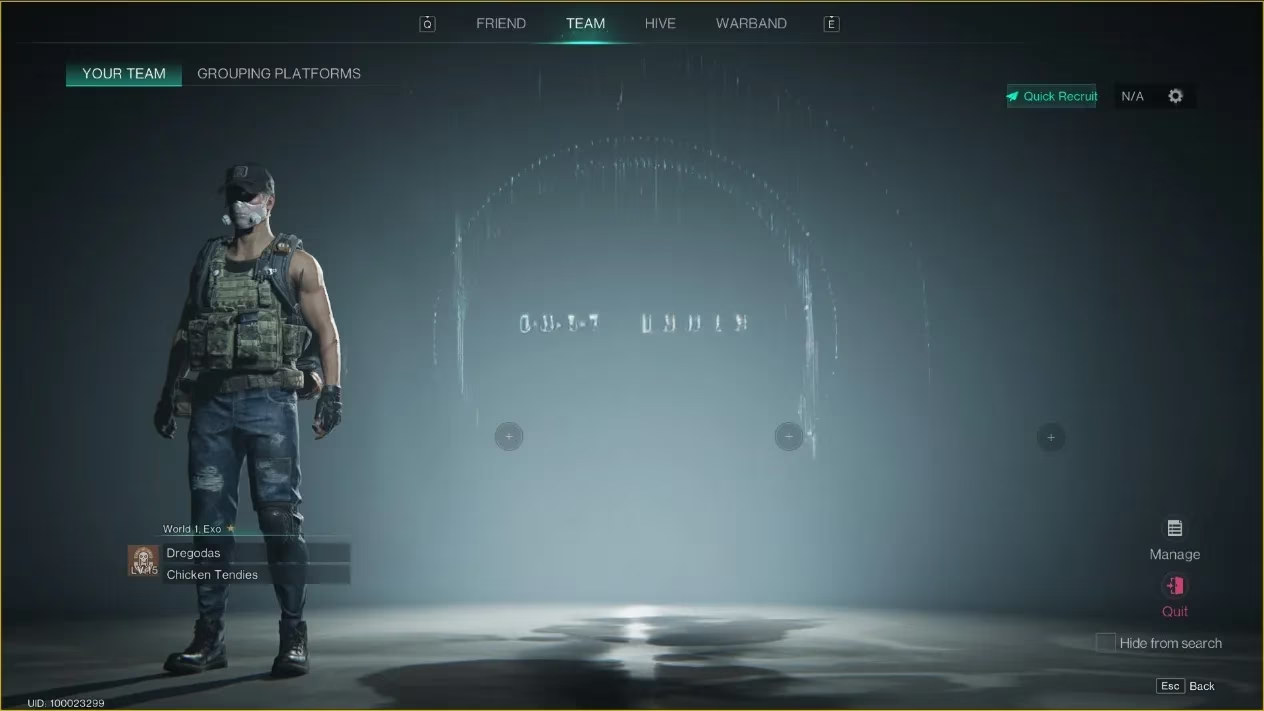
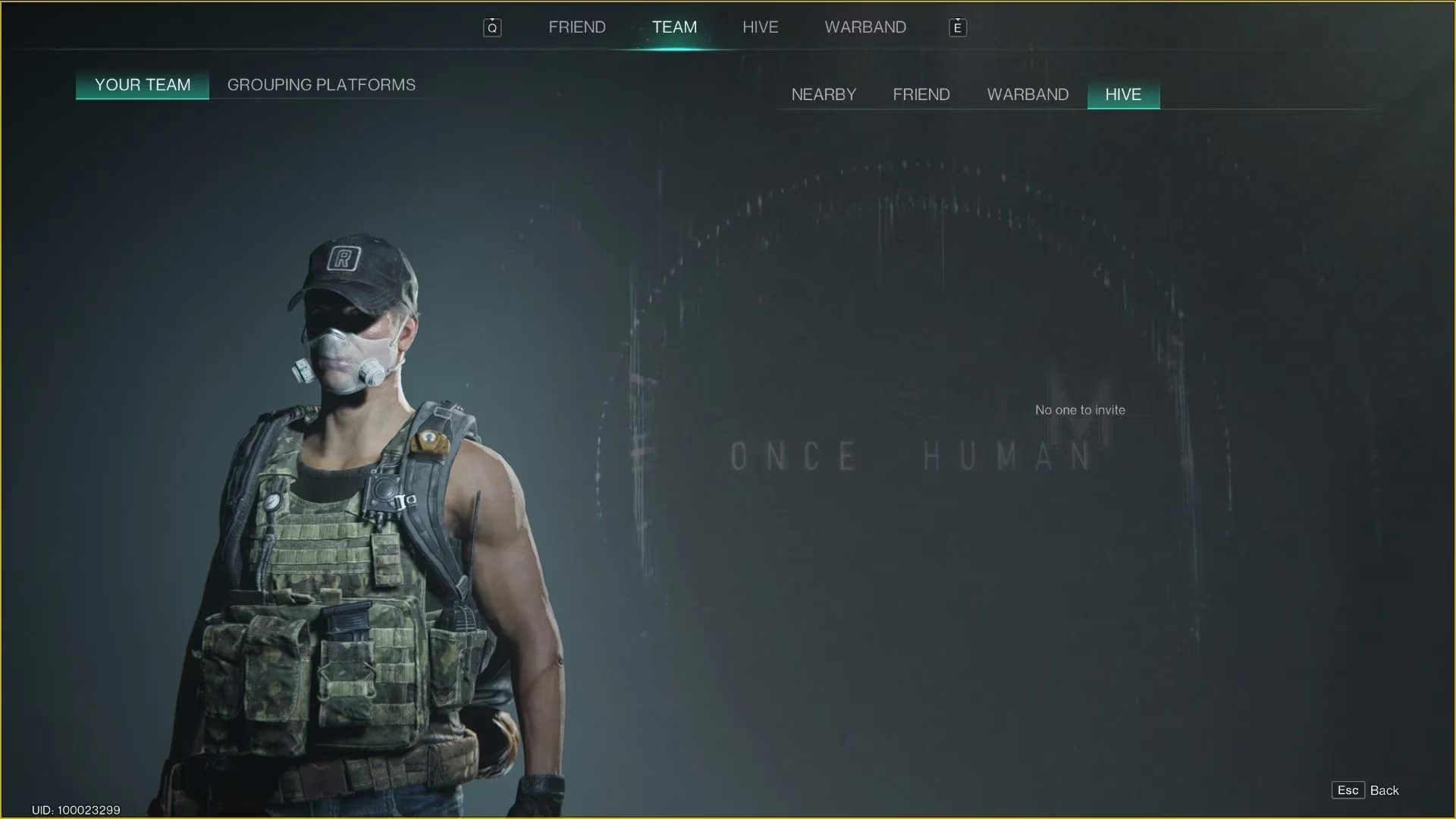
Now for the fun part: filling those slots! Once your team shell exists, you'll see several + icons next to empty member slots. Clicking on one of these plus signs is like opening a digital address book. It triggers a pop-up menu with several invitation options:
-
Nearby Person: Perfect for teaming up with someone you just met in the game world.
-
Friend: The go-to choice for your pre-added buddies from your friends list.
-
Warband Member: For inviting comrades from your larger, persistent Warband alliance.
-
Hive Member: To recruit fellow survivors from your shared Hive community.
Selecting 'Friend' is usually the first step for most players. Just remember, you gotta have them on your friends list first—no friends, no invite! The game allows you to invite up to 3 other people, creating a tight-knit squad of four, which is, frankly, the sweet spot for tackling most content.
Getting on the Same Page (and Layer!)
Successfully sending an invite and having it accepted is a great start. Your newly recruited teammates will now appear as icons on your in-game map, making coordination a breeze. However, there's a common hiccup that catches new players off guard: World Layers. Once Human uses a sharding system to manage server population. If your friend is in a different 'world layer' than you, it's like you're both in the same city but on parallel streets—you can't actually see or interact with each other physically.
What to do if you're on different layers? Simple! One of you will need to change your world layer to match the other. This process is usually done via a menu option, often at a terminal or through the game's settings. Once synchronized, your teammate's character will materialize in your world, ready for action. It's a crucial step, so don't forget it—nothing's more awkward than trying to high-five a ghost!
Why Team Up? The Benefits of Squadding Up
Forming a team isn't just about socializing; it fundamentally changes the gameplay experience. Here's a quick rundown of the perks:
| Benefit | Description |
|---|---|
| Shared Objectives | Tackle missions and events together, pooling resources and firepower. |
| Combat Synergy | Combine different character builds and weapons to overcome tough enemies. |
| Safety in Numbers | The mutated horrors of the world are less daunting with buddies watching your back. |
| Faster Progression | Divide and conquer tasks like resource gathering and base building. |
| Pure Fun 😄 | Let's be real, sharing those epic wins and hilarious fails is what gaming is all about. |
Pro Tips for Squad Leaders
-
Communication is Key: Use in-game voice chat or an external app. A silent team is a dead team.
-
Define Roles: Have someone focus on healing/support, another on heavy damage, etc. It makes you more effective.
-
Check Layers First: Before starting a session, quickly confirm everyone is on the same world layer to avoid delays.
-
Utilize the Map: Those teammate markers are invaluable for coordinating attacks or rendezvous points.
So there you have it. Building your dream team in Once Human is a straightforward process of navigating menus and sending invites, with just a little awareness needed for the world layer system. It transforms the game from a solitary struggle into a shared adventure where you can rely on your friends. Now, what are you waiting for? Get out there, create your team, and start making some post-apocalyptic memories that are best enjoyed together. Just watch out for each other's backs... you never know what's lurking in the fog.